1VideosUser (2011, June 6). TripIt - A better way to travel is here. Retrieved April 9th, 2012, from http://www.youtube.com/watch?v=HEHMY_ySoL8
Step by step instructions on how to access & join TripIt:
- Click on this link: http://www.tripit.com/ to start an account
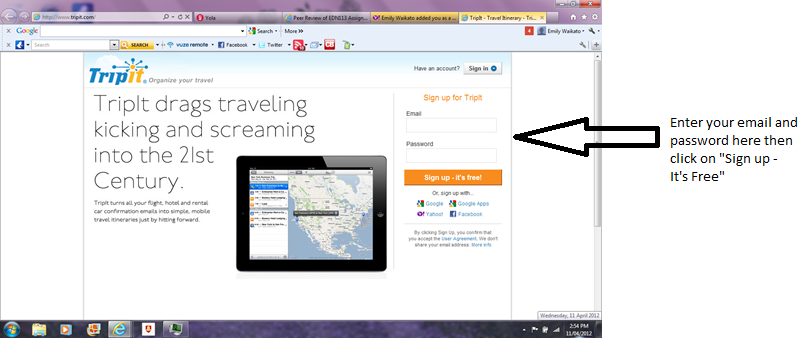
- You'll be directed to the TripIt site where you need to create your account by entering your email address and creating your own password
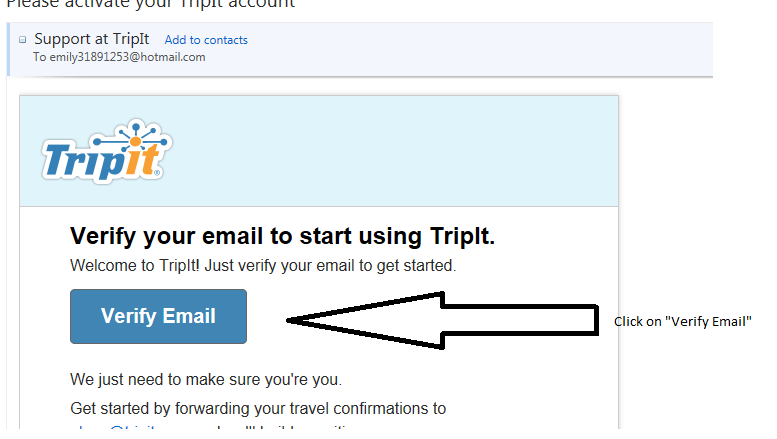
- Once you've signed up you need to get into your emails to verify your email address before you can sign in to TripIt so go to your email inbox and access the TripIt email and click on "Verify Email"
-
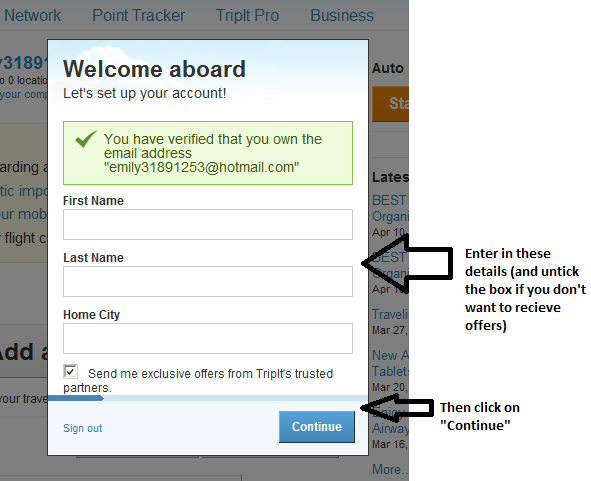
You will now be redirected to TripIt in a new window where you have to enter in your first and last name and your home city
-
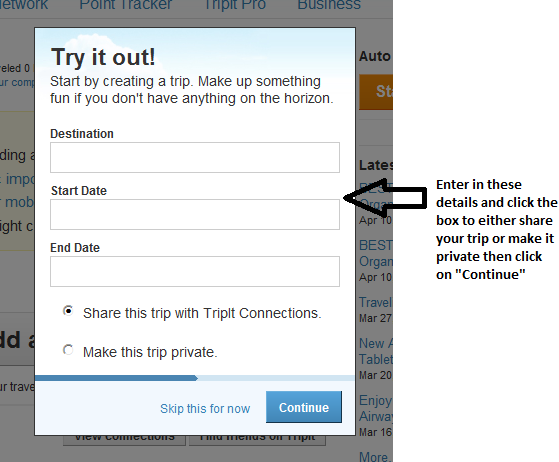
Once you've done this you will be asked to creat your own trip by entering your destination with the start and end dates. You'll have the option to share your trip with your TripIt connections or to make your trip private
-
Now follow the prompts until you are directed to your trip where you can now start adding travel plans
-
The site is very easy to use and navigate through so have a play and start using the different features to your advantage. Here is a link to TripIts help page where you'll find stacks of helpful "how to's"; hints and tricks to help you if you get stuck or are having trouble using the site: http://help.tripit.com/home
-
For your trips that have other travellers involved make sure you share your trip with them and give them editing rights so they can add to and comment on the trip
-
Here's a great youtube video of how to import your bookings from your email confirmations into TripIt:
Simplypsquared (2011, April 6). Tripit. Retrieved April 9th, 2012, from http://www.youtube.com/watch?v=jQO5aKOjY8Y
